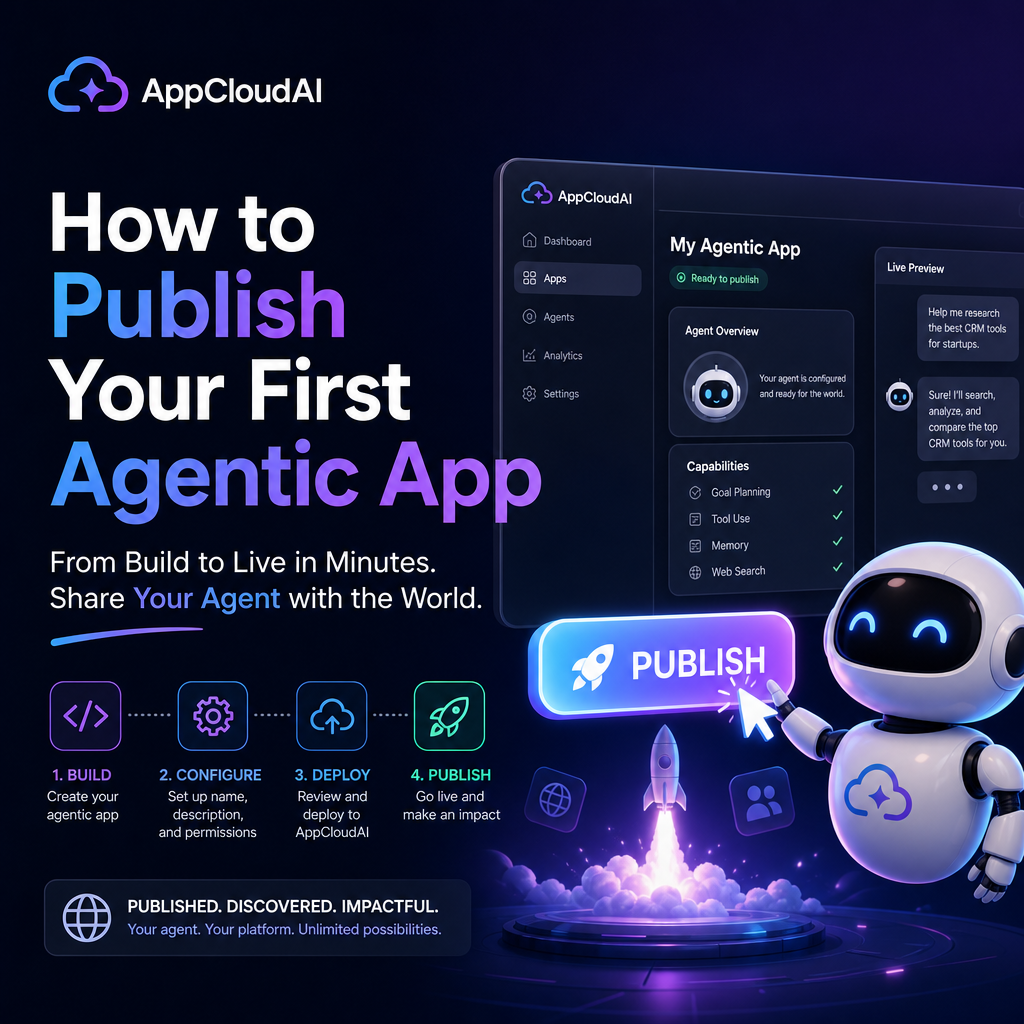
How to Publish Your First Agentic App on AppCloudAI
Why AppCloudAI Is a Great Place to Start
Publishing your first agentic app can feel intimidating, especially if you are balancing product ideas, technical setup, testing, and launch strategy all at once. The good news is that AppCloudAI makes the process much more approachable.
This complete guide to publishing your first agentic app on AppCloudAI walks through the essential steps, from shaping your app idea to preparing it for real users. Whether you are a solo builder, startup founder, or AI enthusiast, the goal is the same: launch something useful, reliable, and easy to discover.

Agentic apps stand out because they do more than answer prompts. They can take actions, follow goals, use tools, and complete workflows. That makes the publishing process especially important. A good launch is not just about getting your app online. It is about making sure people understand what it does and trust it to do it well.
Step 1: Define the Problem Your App Solves
Before you upload anything, get clear on the purpose of your app.

Ask yourself:

- What specific task does the app automate or improve?
- Who is the ideal user?
- What result should the user get?
- What makes the app agentic rather than just conversational?
For example, instead of building a vague “business assistant,” you might create an app that researches competitors, summarizes findings, and drafts weekly reports. That is focused, useful, and easy to explain.
A clear use case makes everything easier later, including your app description, onboarding, and marketing.
Step 2: Prepare the Core Experience
When publishing your first agentic app on AppCloudAI, your first version does not need to do everything. It just needs to do one thing well.
Focus on these elements:
Strong instructions
Your app needs clear internal logic. Define how it should behave, what tools it can use, what boundaries it should follow, and what success looks like.
Reliable workflows
Test the key user journey from start to finish. If your app is supposed to analyze data, generate recommendations, and export results, make sure that path works consistently.
Useful outputs
The output should be practical, not just impressive. Users want results they can apply immediately.
Error handling
Think about what happens when inputs are incomplete, unclear, or outside scope. A good app guides users instead of failing silently.
Step 3: Set Up Your App Listing Carefully
Your app listing is often the first impression users will have. A polished listing can make the difference between curiosity and adoption.
Make sure you include:
- A clear app name that is simple and memorable
- A concise description that explains the problem solved
- Key features that highlight the app’s most valuable capabilities
- Intended users so the right audience can identify it quickly
- Usage guidance to help people get started without confusion
Avoid jargon where possible. Even if your app uses advanced AI workflows, the listing should explain value in plain language.
A good formula is:
What it does + who it helps + what outcome it delivers
For example: “An agentic research assistant for startup teams that gathers market insights and produces organized competitor summaries.”
Step 4: Test Before You Publish
One of the biggest mistakes first-time builders make is publishing too early.
Before launch, test your app in realistic conditions. Do not just try ideal prompts. Use messy, incomplete, and unpredictable inputs, because that is what real users will do.
What to test
- Accuracy of responses
- Workflow completion
- Tool usage and integrations
- Speed and responsiveness
- Handling of edge cases
- Clarity of final outputs
If possible, ask a small group of early testers to try the app without much explanation. Their confusion points are valuable. If they get stuck, future users probably will too.
Step 5: Review Permissions, Safety, and Trust
Agentic apps can perform actions, access tools, and influence decisions. That means trust matters.
When publishing your first agentic app on AppCloudAI, review:
Tool permissions
Only enable the tools your app truly needs. Keeping access narrow improves safety and reduces complexity.
Privacy expectations
Be transparent about what data is used, stored, or processed. Users are more likely to adopt your app when they understand the boundaries.
Safety constraints
Set clear rules for what the app should not do. This is especially important for apps related to finance, legal support, medical information, or automation.
A trustworthy app is more likely to earn repeat users and positive feedback.
Step 6: Publish With a Simple Launch Plan
Publishing is not the end of the process. It is the beginning of learning.
Once your app goes live on AppCloudAI, promote it with a lightweight launch plan:
- Share it with your existing audience
- Post a quick demo or walkthrough
- Explain a real use case
- Invite early feedback
- Watch how users interact with it
Keep your messaging practical. People do not adopt apps because they are “powered by AI.” They adopt them because they save time, reduce effort, or improve results.
Step 7: Improve Based on Real Usage
Your first release is version one, not the final product.
Pay attention to:
- Frequently asked questions
- Common failure points
- Features users request most
- Prompts that lead to poor outputs
- Tasks users expected the app to handle
Small improvements can have a big impact. Better onboarding, clearer instructions, and tighter workflows often matter more than adding new features.
Final Thoughts
The complete guide to publishing your first agentic app on AppCloudAI comes down to a few fundamentals: solve a real problem, keep the experience focused, test thoroughly, and launch with clarity.
Your first app does not need to be perfect. It needs to be useful, understandable, and trustworthy.
If you build with the user in mind and treat publishing as the start of iteration rather than the finish line, AppCloudAI can become a strong platform for turning your agentic app idea into something people actually use.