
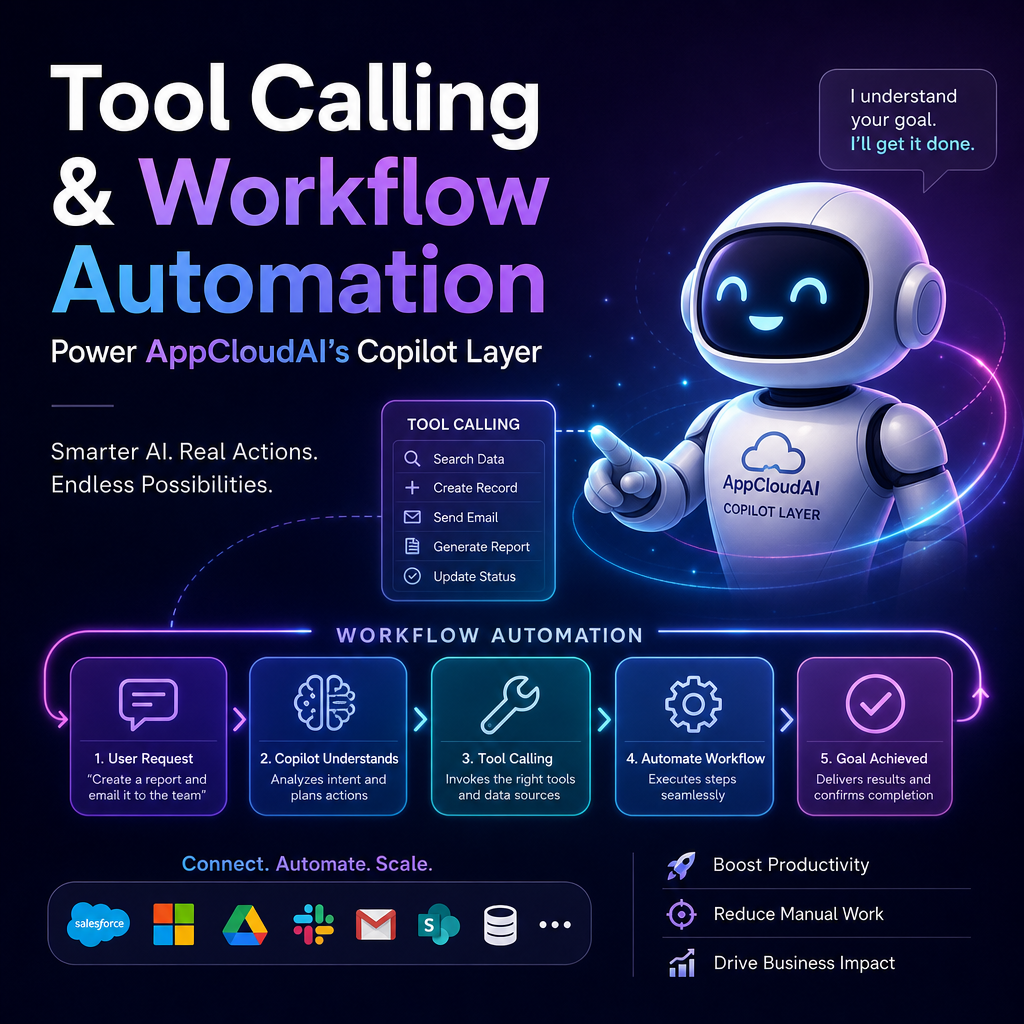
Tool Calling and Workflow Automation Power AppCloudAI’s Copilot Layer
Tool Calling + Workflow Automation: The Engine Behind AppCloudAI’s Copilot Layer
AI copilots are no longer just chat interfaces with polished responses. The real value appears when a copilot can do things: fetch data, trigger actions, update systems, and complete multi-step work across tools. That is where tool calling and workflow automation become essential.
At the core of AppCloudAI’s Copilot Layer is a simple idea: a copilot should not stop at conversation. It should connect reasoning to execution.

Why Chat Alone Is Not Enough
A language model can summarize, explain, and generate content with impressive fluency. But in business environments, users usually need more than text.
They need the copilot to:

- look up customer records
- create support tickets
- route approvals
- generate reports
- update CRM entries
- trigger internal workflows
Without action, an AI assistant becomes another interface for information. With tool calling and workflow automation, it becomes a working layer across the business.

What Tool Calling Actually Means
Tool calling allows an AI system to use external functions, APIs, or services when responding to a request. Instead of guessing an answer, the copilot can reach into connected systems and retrieve or update real data.
For example, if a user asks:
“Show me open onboarding tasks for our newest enterprise customer.”
A capable copilot does not invent an answer. It can:
- identify the customer
- query the project or onboarding system
- collect the task list
- format the result clearly
- suggest the next action
That is the difference between conversational AI and operational AI.
In AppCloudAI’s Copilot Layer, tool calling acts as the bridge between natural language and business systems.
The Role of Workflow Automation
Tool calling is powerful, but a single tool action often is not enough. Real work usually spans several steps, rules, and applications. That is where workflow automation comes in.
Workflow automation coordinates sequences such as:
- collecting inputs
- checking conditions
- calling multiple tools
- handling approvals
- logging activity
- sending notifications
- updating records across platforms
A user may ask the copilot to “prepare a renewal risk summary and notify the account team.” Behind the scenes, that can involve CRM data, support history, product usage signals, billing status, and a messaging workflow.
The user sees one request. The system manages the complexity.
How the Copilot Layer Connects Everything
AppCloudAI’s Copilot Layer is valuable because it sits between human intent and system execution.
It understands intent
Users communicate in natural language, not rigid commands. The copilot interprets the request, identifies the goal, and determines what tools or workflows are needed.
It selects the right actions
Not every request needs the same path. Some require a direct API call. Others need a structured workflow with checkpoints and fallback logic.
It maintains context
A strong copilot does not treat each prompt as isolated. It carries forward the context of the conversation, user role, and business process so actions remain relevant and accurate.
It returns useful outcomes
Instead of exposing raw system outputs, the Copilot Layer translates results into concise, user-friendly responses with clear next steps.
Practical Business Benefits
When tool calling and workflow automation are embedded into a copilot experience, the business impact becomes tangible.
Faster execution
Users do not need to switch between dashboards, tabs, and internal systems. The copilot orchestrates the steps from one interface.
Better consistency
Automated workflows reduce manual variation. Tasks happen in the right order, using the right systems and business logic.
Improved productivity
Teams spend less time chasing status updates, copying data, and performing repetitive administrative work.
More reliable decisions
Tool-connected copilots pull live information from trusted systems, reducing the risk of outdated or fabricated responses.
Scalable operations
As companies grow, the number of systems and handoffs increases. Automation helps teams maintain speed without adding unnecessary operational friction.
A Simple Example in Action
Imagine a sales manager asks:
“Create a follow-up plan for stalled opportunities over $25K and assign tasks to account owners.”
A copilot powered by AppCloudAI’s approach can:
- query the CRM for matching opportunities
- analyze activity gaps and engagement signals
- generate tailored follow-up recommendations
- create tasks for each account owner
- send a summary to the sales channel
- log the workflow for visibility and auditability
This is more than AI-generated advice. It is action tied to systems, rules, and outcomes.
Why This Matters for the Future of Enterprise AI
The next wave of enterprise AI will not be defined by who has the most impressive chatbot. It will be defined by who can operationalize intelligence inside everyday work.
That means building copilots that can:
- understand requests
- interact with business tools
- automate multi-step processes
- adapt to real operational context
- deliver measurable results
This is exactly why tool calling and workflow automation matter so much. They turn AI from a passive assistant into an active business engine.
Final Thoughts
AppCloudAI’s Copilot Layer is powerful because it connects language, tools, and workflows into one execution model. Users ask in plain English. The system understands the request, calls the right tools, runs the right automations, and returns meaningful results.
That combination is what makes a copilot truly useful.
In the end, the future of AI at work is not just about better answers. It is about better actions. And tool calling and workflow automation are the engine making that possible.