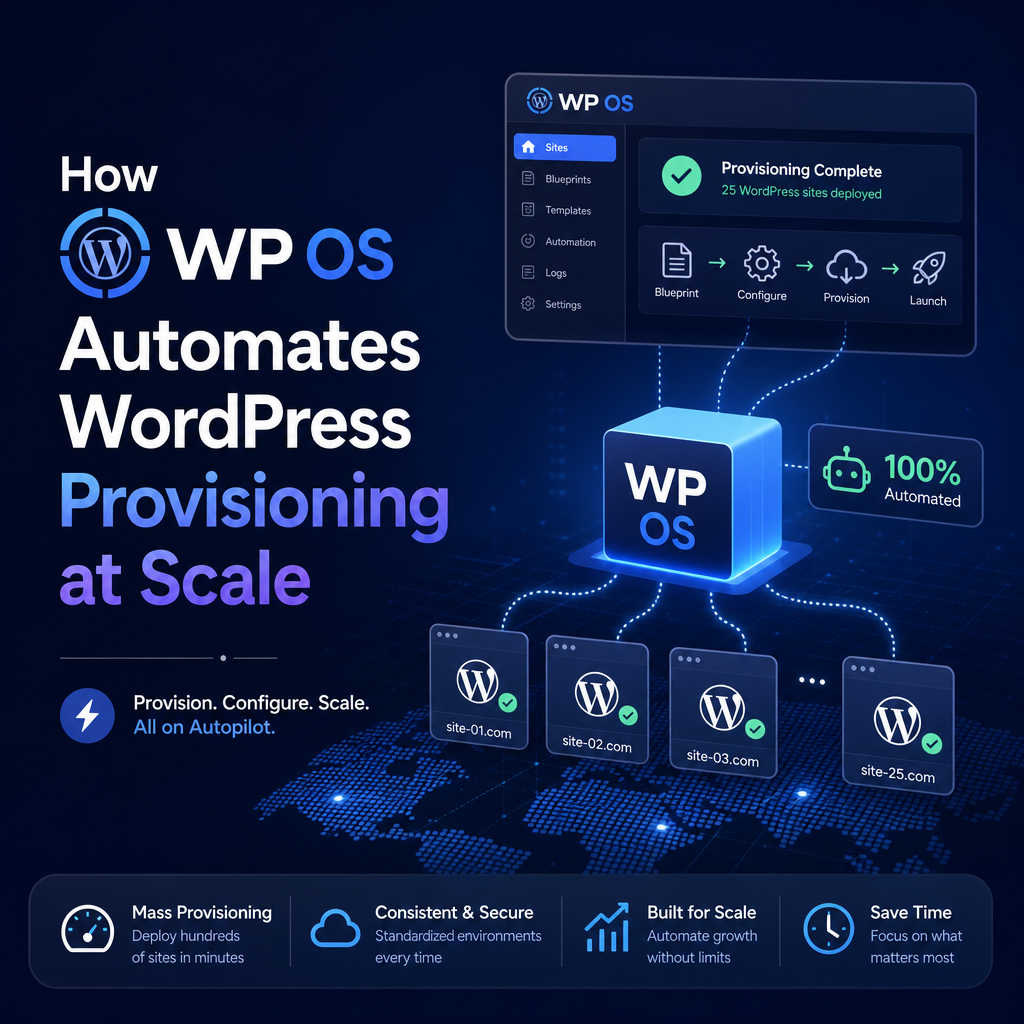
How WP OS Automates WordPress Provisioning at Scale
How WP OS Automates WordPress Provisioning, Plugins, Themes, and Content at Scale
Managing one WordPress site is straightforward. Managing dozens, hundreds, or even thousands is a very different challenge.
At scale, manual setup becomes slow, expensive, and inconsistent. Teams waste time repeating the same tasks: installing WordPress, configuring themes, activating plugins, importing content, and checking that every site matches the right template. This is where WP OS changes the game.

WP OS helps automate the full lifecycle of WordPress setup, making it easier to launch standardized sites quickly and reliably.
Why manual WordPress setup does not scale
When teams provision WordPress manually, the process often looks like this:

- Create a new site
- Install and configure plugins
- Add a theme and apply branding
- Import starter pages and posts
- Set menus, widgets, and options
- Review everything for errors
That may be manageable once or twice. But at scale, even small setup tasks add up fast.

Common problems include:
- Inconsistent site configurations
- Missed plugin settings
- Theme variations across installs
- Delays in launching new sites
- Higher support and maintenance overhead
For agencies, multi-site businesses, hosting providers, and enterprise teams, automation is not just helpful. It is essential.
What WP OS automates
WP OS is built to streamline repetitive WordPress deployment work. Instead of treating every site as a fresh manual project, it turns setup into a repeatable system.
1. WordPress provisioning
Provisioning is the foundation of every deployment. WP OS automates the creation of WordPress environments so teams can launch new sites without going through the same setup checklist each time.
This helps reduce:
- Human error
- Launch bottlenecks
- Time spent on repetitive admin work
With automated provisioning, new WordPress sites can be created faster and with a more predictable structure from the start.
2. Plugin installation and configuration
Plugins are often one of the most time-consuming parts of a WordPress build. Each site may require SEO tools, form builders, security plugins, backups, performance tools, and custom integrations.
WP OS simplifies that process by automating plugin deployment across sites. Instead of installing and activating them one by one, teams can standardize plugin stacks and apply them consistently.
The result is:
- Faster deployments
- Fewer missing plugins
- More reliable site functionality
- Easier maintenance across many installs
This is especially valuable when every site should follow the same operational standards.
3. Theme deployment and design consistency
Brand consistency matters, especially for organizations launching multiple sites under the same umbrella.
WP OS helps automate theme setup so teams can roll out approved themes and templates without rebuilding the same visual foundation repeatedly. Rather than starting from scratch every time, sites can inherit a consistent structure and design system.
That means teams can:
- Enforce design standards
- Speed up site launches
- Reduce formatting inconsistencies
- Simplify onboarding for new builds
For franchise networks, agencies, and enterprise teams, this creates a cleaner and more scalable workflow.
4. Content seeding and starter content
A blank WordPress install is rarely useful on its own. Most sites need starter pages, placeholder posts, menus, media, and reusable content blocks before they are ready for editing or publication.
WP OS automates content seeding so new sites can begin with the right baseline content already in place.
Examples include:
- Homepage layouts
- Service pages
- Contact pages
- Blog structures
- Navigation menus
- Reusable patterns or templates
This saves time and gives content teams a stronger starting point, rather than asking them to build everything from zero.
The value of automation at scale
The biggest benefit of WP OS is not just speed. It is consistency.
When every new WordPress site follows the same automated process, teams gain more control over quality, compliance, and maintainability. Instead of relying on memory or manual checklists, the system handles repeatable tasks the same way every time.
Key advantages include:
Faster deployment cycles
Automation removes repetitive setup work, allowing teams to launch more sites in less time.
Standardized environments
Every site can follow approved configurations for plugins, themes, and core settings.
Lower operational overhead
Less manual work means fewer setup errors and less back-and-forth during QA and support.
Easier scaling
As demand grows, the workflow does not need to expand linearly with staff effort.
Who benefits most from WP OS
WP OS is particularly useful for teams that create or manage multiple WordPress sites on a recurring basis.
This includes:
- Digital agencies building sites from repeatable templates
- Hosting providers offering pre-configured WordPress setups
- Enterprise organizations managing many branded properties
- Franchise and multi-location businesses launching local sites
- Product teams creating WordPress instances for campaigns or clients
In each of these cases, automation improves both speed and governance.
A better way to build repeatable WordPress workflows
The more WordPress sites you manage, the more valuable standardization becomes. Repeating manual tasks may seem harmless at first, but over time it creates friction, inconsistencies, and unnecessary cost.
WP OS provides a more efficient path by automating WordPress provisioning, plugin deployment, theme setup, and content seeding at scale. Instead of rebuilding the same foundation over and over, teams can create reliable workflows that are faster to launch and easier to maintain.
For organizations serious about scaling WordPress operations, WP OS is not just a convenience. It is a smarter operating model for repeatable site delivery.