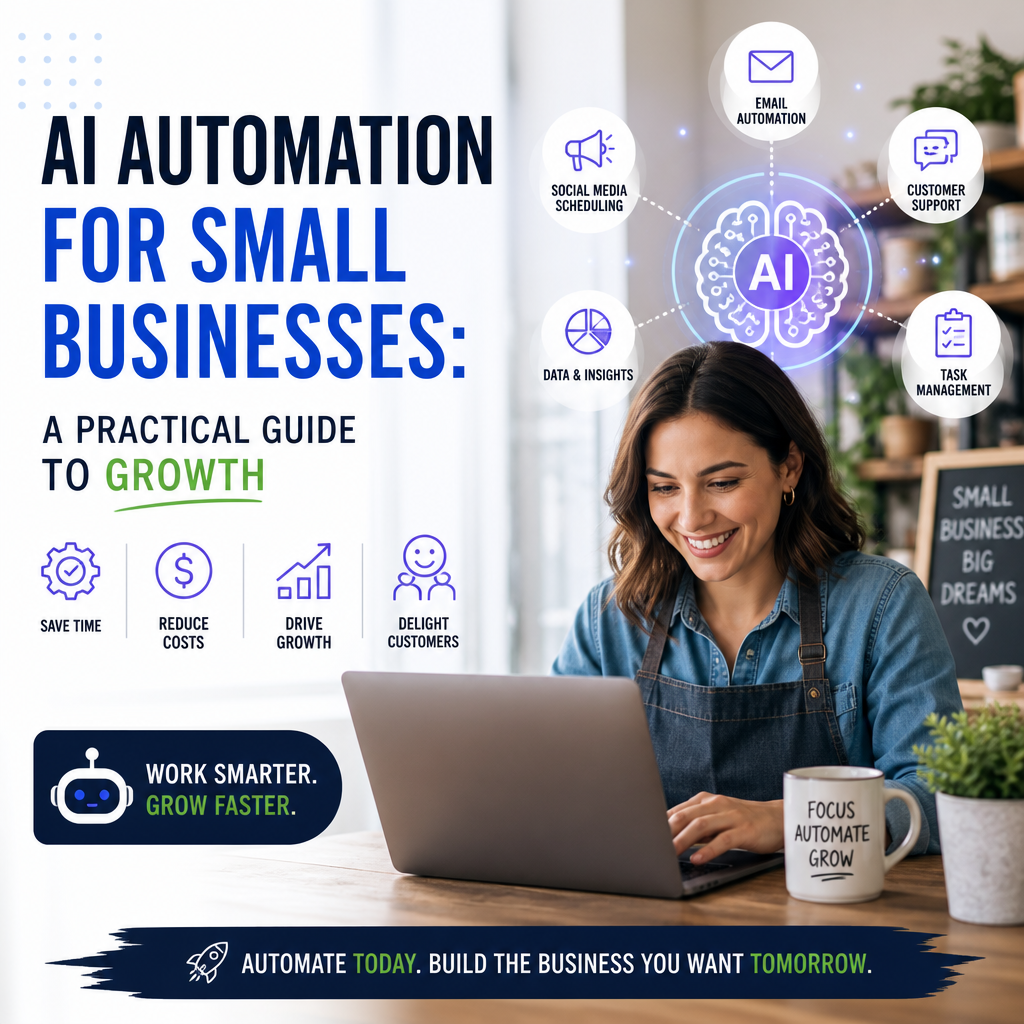
AI Automation for Small Businesses: A Practical Guide to Growth
AI Automation for Small Businesses: A Practical Guide
Small businesses often have to do more with fewer people. Owners and teams juggle customer inquiries, scheduling, invoicing, marketing, and day-to-day operations—sometimes all before lunch. AI automation can help by taking repetitive tasks off their plates, freeing up time for work that needs human judgment and personal attention.
You don’t need a large budget or a dedicated technology team to get started. The key is to choose a real business need, select a suitable tool, and introduce automation thoughtfully.

What Is AI Automation?
AI automation combines artificial intelligence with software that can carry out tasks or support decisions. Unlike basic automation, which follows fixed rules, AI tools can interpret information such as written messages, recognize patterns, and generate responses or summaries.
For example, a rule-based system might send a standard confirmation after someone fills out a form. An AI-enabled system could also categorize the inquiry, identify its main request, and draft a relevant response for a team member to review.

AI should not be treated as a replacement for every human interaction. It works best as a capable assistant: fast at routine tasks, but still subject to human oversight where accuracy, privacy, or customer relationships matter.

Where Small Businesses Can Use AI Automation
The best applications depend on your business, but several common tasks are good places to begin.
Customer service
AI chat tools can answer frequently asked questions, direct visitors to useful information, and collect details outside business hours. Email tools can sort incoming messages by topic or urgency, helping staff respond more efficiently.
For sensitive complaints or complicated requests, make it easy for customers to reach a person. A quick automated response is useful; a frustrating barrier is not.
Marketing and content
AI can help brainstorm campaign ideas, draft social posts, summarize customer feedback, and tailor email messages to different audiences. These tools are especially helpful for overcoming a blank page or speeding up a first draft.
Review every output before publishing. Check facts, tone, brand voice, and any claims about products or services. The business remains responsible for what it communicates.
Scheduling and administration
Appointment reminders, meeting summaries, form processing, and invoice follow-ups can often be automated. Connecting these tasks to the tools you already use may reduce manual data entry and prevent small administrative jobs from slipping through the cracks.
Inventory and sales support
Some systems can analyze sales patterns and highlight products that may need restocking. Others can help organize leads or identify follow-up tasks. Treat these insights as useful signals, not unquestionable predictions—especially when demand changes quickly.
How to Get Started Without Overcomplicating Things
A successful rollout doesn’t require automating everything at once. Start with a specific process that is repetitive, time-consuming, and easy to measure.
- Identify a bottleneck. Ask staff which routine task consumes time or causes delays.
- Map the current process. Note what information goes in, what decisions are made, and where a person must step in.
- Choose a focused tool. Look for a solution that fits your existing systems and is designed for the task.
- Test on a small scale. Use a limited trial or a single workflow before expanding.
- Review the results. Compare time saved, error rates, customer feedback, and overall usefulness.
- Keep a human checkpoint. Decide which outputs require review and who is responsible for correcting problems.
A small, reliable improvement is usually more valuable than a complicated system that no one wants to use.
Costs, Privacy, and Other Considerations
AI tools may charge monthly fees, usage-based rates, or additional costs for integrations. Before choosing one, calculate the full cost—not just the advertised subscription. Consider setup time, staff training, and whether the tool can grow with your needs.
Privacy deserves equal attention. Avoid entering confidential customer, employee, or financial information into a tool unless you understand how that data is stored and used. Review the provider’s privacy terms, permissions, and security features. It may also be helpful to create simple internal guidelines for what employees can and cannot share.
Finally, plan for mistakes. AI can misunderstand context, produce inaccurate information, or sound too generic. Regularly check the system’s output, give employees a way to report problems, and pause automation if it begins creating more work than it saves.
Make AI Automation Work for Your Business
AI automation for small businesses is most effective when it solves a clear problem and supports the people doing the work. Start with a manageable task, test carefully, and measure whether the change genuinely improves the day.
Used with good judgment, AI can reduce repetitive effort and help small teams respond more consistently—without losing the personal service that makes a small business stand out.